


Welcome to WordPress. This is your first post. Edit or delete it, then start writing!
Author: gethexamobi@gmail.com
-
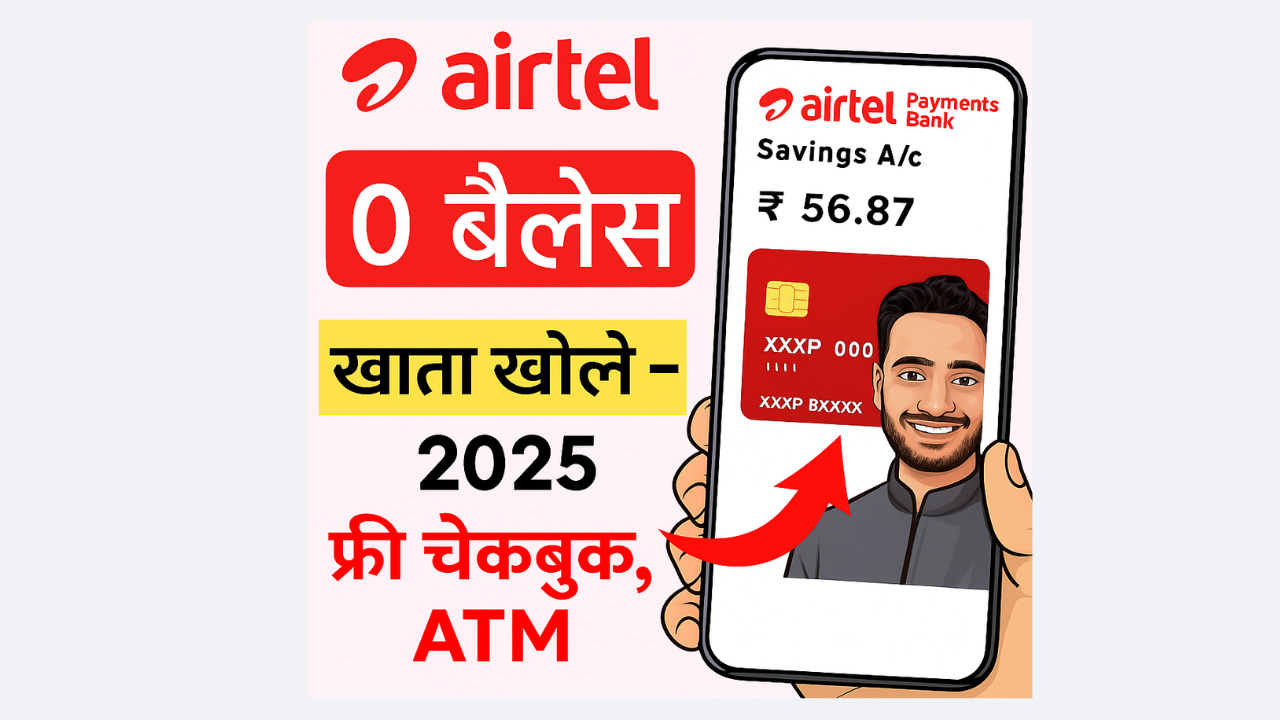
Airtel Payment Bank Kese Khole: Open Online Zero Balance Saving Account
Soch ke dekho bhai, aaj ke digital zamaane me sab kuch online ho gaya hai, chahe recharge karna ho, bill bharna ho ya paisa bhejna ho. Aur isi digital wave me ek naam kaafi popular ho gaya hai — Airtel Payment Bank.
Bahut log Google Par Search karte hain “Airtel Payment Bank kya hai”, “Airtel Zero Balance Saving Account kaise kholein”, “Airtel Payment Bank me paisa kaise bhejein”, ya “Online Airtel Payment Bank safe hai ya nahi”. Toh aaj hum Aapko batayenge poore detail me, step by step ☕
Airtel Payment Bank Kya Hai
Airtel Payment Bank ek digital payments bank hai jise Bharti Airtel ne launch kiya. Ye ek Payments Bank hai, matlab:
- Paisa Deposit Kar Skte Ho
- Paisa kisi ko bhi Transfer kar skte ho
- Recharge aur bill payments
- Interest bhi dena hai aapke account me pade huye balance ka
Par haan, ye loan ya credit card jaisi cheezein abhi offer nahi karta.
Airtel Payment Bank ka main goal hai har mobile user tak banking services pahunchana — especially un logon tak jinke paas normal bank account nahi hai.
Airtel Payment Bank Account Kaise Khole
Sabse zyada log search karte hain:
- “Airtel Payment Bank account kaise open kare?”
- “Online open Airtel Payment Bank account”
- “Online open zero balance account”
to hum aapko btayenge ki ye process kitna easy aur full digital hai 👇
Step-by-step:
- Airtel Thanks App/Web download karo.
- Login karo apne Airtel number se.
- “Bank” section me jao.
- “Open Savings Account” ya online open zero balance account select karo.
- Apna Aadhaar aur PAN verify karo (KYC).
- mPIN set karo — ye tumhara transaction password hai.
- Bas! Tumhara zero balance savings account ready hai.
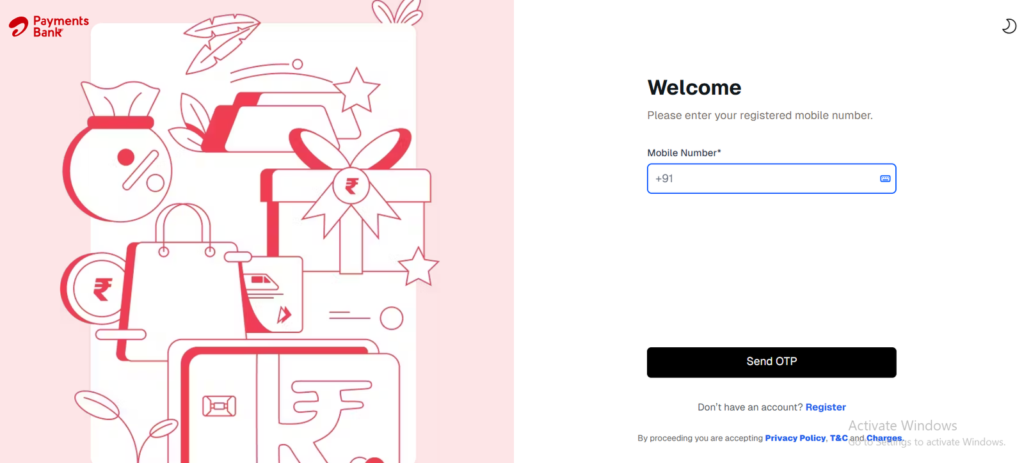
Airtel Payment Bank Login Page Ye account tumhare liye perfect hai agar aap digital banking ka maza lena chahte ho aur ghar baithe zero balance saving account kholna chahte ho.
Airtel Payment Bank Se Paise Kese Transfer Kare
- UPI Transfer: Kisi bhi bank account me instant paisa bhejo.
- NEFT/IMPS: Traditional bank transfer bhi supported hai.
- Airtel Wallet to Wallet: Agar dono ke paas Airtel account ho, paisa instantly transfer ho jata hai.
- Cash Deposit Point: Airtel banking points se paisa deposit ya transfer kar sakte ho.
App me “Send Money” → UPI ID/Account Number daalo → Confirm ✅
Airtel Payment Bank Se Paisa Kaise Nikale
Airtel Banking Point: Nearest outlet pe jaake registered number aur OTP verify karke cash withdraw karo.
Virtual Debit Card + ATM: Airtel Thanks App se virtual debit card generate karo aur ATM se paisa nikal lo.
Airtel Payment Bank Se Recharge Kaise Karein
- Airtel Thanks App open karo.
- Recharge option select karo (mobile, DTH, data pack).
- Payment source me Airtel Payment Bank choose karo.
- Confirm karo → ho gaya recharge ✅
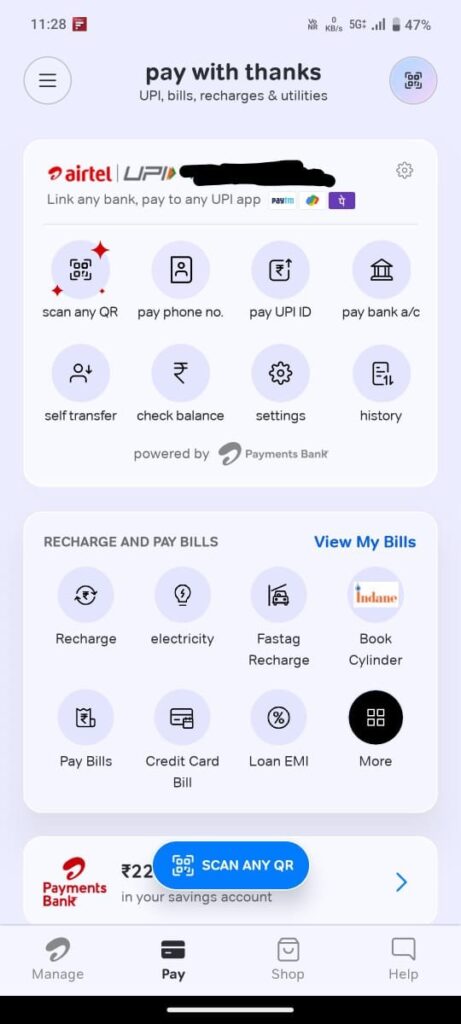
Offers & cashback bhi check kar lena “Offers” section me.
Airtel Payment Bank Ka Interest Rate Kitna Hai
Filhal, Airtel Payment Bank savings account par Upto 6.5% tak interest rate offer karta hai (plan ke hisaab se).
Zero balance account hone ke bawajood, tumhara paisa grow karta hai aur safe bhi hai.Airtel Payment Bank Safe Hai Ya Nahi
- RBI-regulated bank hai → paisa secure hai.
- Har transaction me OTP, mPIN aur notification milta hai.
- Safe Pay feature → fraud protection.
Toh haan, Airtel Payment Bank safe hai.
Airtel Payment Bank Ke Features Aur Benefits
Zero Balance Savings Account – koi minimum balance nahi chahiye.
High Interest Rate – up to 6.5% savings par.
Online open Airtel Payment Bank account – ghar baithe account khol sakte ho.
Easy Fund Transfer – UPI, IMPS, NEFT.
Safe Pay & Fraud Protection.
Widespread Network – 500,000+ banking points.
Recharge & Bill Payment – direct app se.
FD & Insurance Option – digital process.
Airtel Payment Bank Ke Drawbacks
Loans aur credit card nahi milte.
Transaction limits ₹2 lakh per month.
Kabhi-kabhi app/network down ho sakta hai.
Minor hidden charges (SMS alerts etc.).
Customer care response kabhi delay ho sakta hai.
Airtel Payment Bank Customer Care
📞 Airtel Users: 400
📞 Non-Airtel Users: 8800688006
📧 Email: wecare@airtelbank.com
🌐 Website: www.airtel.in/bankFAQs (Click to View Answers)
Airtel Payment Bank ek digital payments bank hai jisme paisa rakhna, bhejna, recharge aur bill payment possible hai. Ye RBI-regulated bank hai aur ghar baithe online open zero balance account option deta hai.
Aap online open Airtel Payment Bank account kar sakte hain Airtel Thanks App se. Ghar baithe zero balance savings account open karna kaafi easy hai, bas Aadhaar aur PAN verify karke mPIN set karna hota hai.
Aap UPI, NEFT, IMPS ya Airtel Wallet to Wallet ke through paisa bhej sakte hain. Ye sab methods zero balance account ke liye fully supported hain aur instant transfer hote hain.
Aap Airtel banking point pe jaake cash withdraw kar sakte hain ya virtual debit card generate karke ATM se paisa nikal sakte hain. Ye zero balance savings account users ke liye easy aur safe method hai.
Haan bhai, Airtel Payment Bank RBI-approved hai aur Safe Pay feature ke saath secure hai. Har transaction me OTP aur mPIN ka use hota hai, jo paisa aur data dono ko protect karta hai.
Zero balance account me minimum balance nahi hota, high interest milta hai, easy fund transfer possible hai aur ghar baithe online open zero balance account kar sakte hain. Ye small savings aur daily transactions ke liye perfect hai.
Airtel Payment Bank ek perfect digital banking solution hai:
- Zero balance savings account
- Online open option ghar baithe
- High interest, safe pay, easy fund transfer
- Recharge & bill payment sab app se
Agar abhi tak account nahi khola → Airtel Thanks App download karo aur zero balance account khol ke digital banking ka maza lo! 💸
-

Acko Health Insurance Kyo Hai Jruri, Chlo Jante Hai
Dosto Aaj kal India me health insurance lena luxury nahi, zaroorat ban gayi hai. Medical costs har saal 20-30% bad rahe hain — ek chhoti surgery bhi lakhon me padh jati hai, to eski need puri krne ke liye market me aaya hai Acko Health Insurance.
Isi liye log Google pe search karte hain:- best health insurance plans India 2025
- affordable health insurance online India
- family health insurance plan India
- zero waiting period health insurance
Aur jab digital companies jaise Acko Insurance ne online buy karne ka option diya, toh convenience aur transparency bhi aayi.
Aaj is blog me hum baat karenge Acko Health Insurance ke baare me — uske benefits, premium, waiting period, claim process, aur final review ke sath.
Acko Insurance Company Background
Acko General Insurance ek Indian digital insurer hai jo pure online model pe kaam karta hai.
- Founded in 2016 by Varun Dua.
- Focus: car, bike, travel aur health insurance.
- No agents, no paperwork – sab policy aur claim process mobile app se.
- Currently covers 11,500 + network hospitals for cashless treatment.
Digital model ka benefit ye hai ki premium low rehte hain aur claim settlement fast hota hai.
Acko Health Insurance Ke Top Features
Feature Detail Zero Waiting Period (Platinum Plan) Day-1 coverage for pre-existing diseases 100% Hospital Bill Coverage No hidden deductions or co-pay No Room Rent Capping Any room type allowed within sum insured Pre & Post Hospitalisation 60 days before + 120 days after cover AYUSH & Day-care Treatment Alternative therapy & minor procedures included Restore Sum Insured Feature Multiple claims possible within same year Cashless Network Hospitals 11,500+ pan-India hospitals Tax Benefits Section 80D deduction up to ₹ 75 k Digital Claim Process Submit via app – no agents needed Acko Plans Ke Types
Acko Health Insurance ke 3 major plan categories hain-
- Acko Standard Health Plan – affordable option, basic coverage.
- Acko Platinum Health Plan – premium plan with zero waiting period & unlimited restore.
- Top-Up Plan – existing health policy ke upar additional sum insured.
Waiting Period Details
- Initial waiting period: 30 days (except accidents).
- Pre-existing disease waiting: Up to 3 years (standard plan).
- Platinum plan: Zero waiting period.
- Maternity cover: 9 months to 3 years depending on plan.
Premium & Factors Affecting Cost
Premium depend karta hai:
- Age & City (tier-1 cities = higher premium).
- Sum insured – ₹ 5 Lakh to ₹ 1 Crore.
- Number of family members covered.
- Add-ons (like restore, room rent waiver).
- Lifestyle factors – smoking, existing illness.
Tips to save premium:
- Family floater choose karo.
- Top-up plans use karke coverage badhao.
- Long-term policy lo (2 or 3 years term pe discount milta hai).
- Compare online before purchase.
Acko Claim Process – Kaise File Kare
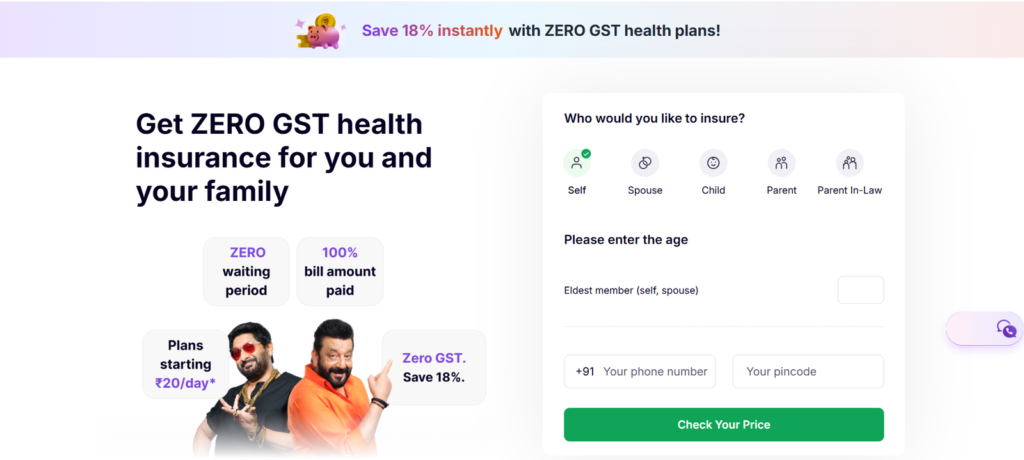
Acko ka claim process kaafi simple hai:
- Cashless claim: Hospital Acko network me ho toh direct settlement.
- Reimbursement: Non-network hospital ka bill submit kar ke refund milta hai.
- Documents: ID, hospital bill, discharge summary, doctor prescription, reports.
- Processing time: Usually within 2–5 days after submission.
Claim Settlement Ratio 2024: Approx 97 %.
Acko vs Other Insurance Companies
Feature Acko Care Health Niva Bupa HDFC Ergo Waiting Period Zero (Platinum) 2–4 yrs 2 yrs 3 yrs Premium Cost Lower (digital only) Medium High Medium Claim Ratio 97 % 95 % 96 % 98 % Room Rent Limit No limit Limit varies Limit varies Depends on plan Cashless Hospitals 11.5 k + 10 k + 9 k + 13 k + Pros and Cons
Pros (Advantages):
- Zero waiting period option.
- Digital buy & claim experience.
- Affordable premium plans.
- No room rent limit.
- Good customer support (24×7 chat + email).
Cons (Points to Check):
- New company – less offline presence.
- Senior citizen premium high.
- Some plans don’t cover OPD visits.
Customer Reviews & Real Feedback
“Maine Acko Platinum plan liya, claim 2 din me approve ho gaya.”
“App thoda slow tha, lekin customer support helpful tha.”
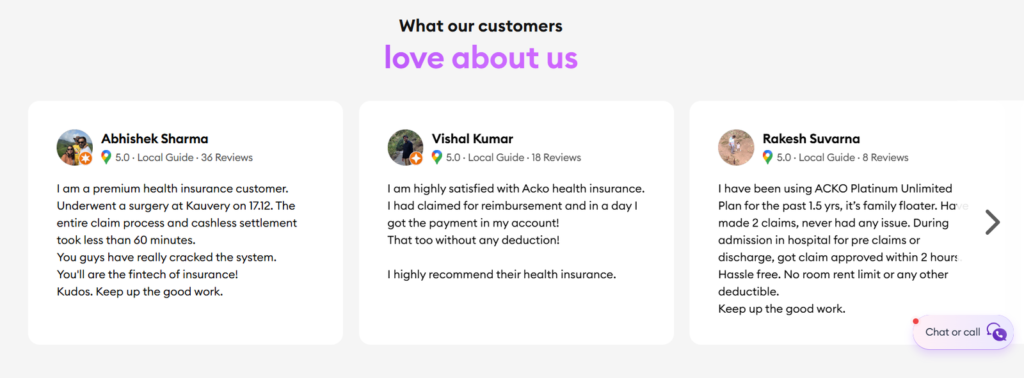
Acko Health Insurance Customers Reviews Overall, users ke feedback me quick settlement & easy process ko positive point mana gaya hai.
Tax Benefits & Extra Perks
Health insurance premium par tumhe Section 80D ke under tax benefit milta hai:
- Self + family: up to ₹ 25 k.
- Parents (senior citizen): extra ₹ 50 k.
Agar tum combined cover lete ho, toh total deduction ₹ 75 k tak mil sakta hai.
Kis Ke Liye Best Hai Acko Health Insurance
- Young professionals aur small families.
- Digital savvy log jinko app based policy pasand hai.
- Log jo zero waiting period ya restore sum insured features chahte hain.
- Working couples seeking maternity coverage.
Avoid karo agar:
- Offline agent support chahiye.
- Multiple pre-existing diseases hain (verify waiting period).
Acko Health Insurance Plans Comparison Chart
Feature / Plan Standard Plan Platinum Plan Top-Up Plan Sum Insured Options ₹5L – ₹25L ₹10L – ₹1Cr ₹25L – ₹1Cr Waiting Period 30 days initial; 3 yrs pre-existing Zero waiting period Depends on base policy Room Rent Limit Standard limits No limit Depends on base policy Pre & Post Hospitalisation 60 days pre, 120 days post 60 days pre, 120 days post Same as base plan Cashless Hospitals Yes (11,500+ hospitals) Yes (11,500+ hospitals) Same as base plan Restore Sum Insured Not included Unlimited restore available Optional add-on Daycare & AYUSH Treatments Included Included Optional add-on Maternity Cover Optional, waiting period applies Optional, waiting period reduced N/A Premium (Approx.) Low Medium–High Low–Medium (top-up only) Tax Benefits (Sec 80D) Yes Yes Yes Acko Health Insurance FAQ Acko Health Insurance FAQ
Yes, Acko Health Insurance is a good option for digital buyers seeking zero waiting period and cashless claims at affordable premiums.Acko Platinum Health Plan offers zero waiting period for disclosed pre-existing conditions.Use the Acko app or website to upload hospital bills, ID proof, and reports. For cashless claims, hospital sends pre-authorization to Acko directly.Acko has a claim settlement ratio of approximately 97% as of 2024.Yes, Acko offers plans for senior citizens, though premiums may be higher and medical checkups required.Note- Es Blog me aapko Acko Health Insurance ke bare me btaya gya hai to hme niche comment me btaye ki aapko ye Jankari kese lagi.
-
Exnova App Review in Hindi 2025 – Minimum Deposit, Withdrawal & Scam Check
Dosto aaj kal online trading ka trend bahut zyada badh gaya hai. Har koi sochta hai ki ghar baithe paise kaise kamaye jaye, Aur isme trading apps kafi help karte hain, specially beginners ke liye. Aaj hum bat krenge Exnova app Review Ke bare me jisse ki Aap stocks, forex, commodities aur cryptocurrencies me trade kar sakte ho.
Ab main point par aate hai, Exnova ke website aur app par kaafi positive claims diye gaye hain. jo Ye kehta hai ki tum $10 se start kar sakte ho aur demo account me $10,000 virtual funds ke saath practice bhi kar sakte ho. Matlab, pehle risk-free practice karo, fir chhota amount se real trading start karo.
Lekin ek baat yaad rakhna — marketing aur real-world experience dono alag ho sakte hain. Isliye, hum is guide me step-by-step dekhenge ki Exnova kaise kaam karta hai, paise kaise kamaaye ja sakte hain, aur kya risks hain.
Exnova App Review – Kya Kya Milta Hai?
Ab chalo dostana style me dekhte hain ki Exnova app me kaunse features hain jo beginner ya intermediate trader ko help karenge:
1. Demo Account with $10,000 Virtual Balance
Sabse pehla aur important feature — demo account. Ye feature beginners ke liye gold hai. Tum real paise risk kiye bina trading practice kar sakte ho. Jaise hi account banate ho, platform tumhe $10,000 virtual funds deta hai. Isse tum seekh sakte ho ki charts kaise dekhte hain, order place kaise karte hain, aur stop loss/take profit kaise set karte hain.
2. Minimum Deposit & Trade Amount
Exnova ka claim hai ki tum $10 se start kar sakte ho, aur ek trade ka minimum $1 hai. Matlab, tum chhota amount risk me dal ke test kar sakte ho ki trading style suit karta hai ya nahi. Ye beginners ke liye best hai jo pehle market samajhna chahte hain.
3. Multiple Assets Available
Exnova app me tum stocks, ETFs, commodities, currencies aur cryptocurrencies me trade kar sakte ho. Matlab ek hi platform pe diversification possible hai. Agar ek asset ka market gir raha hai, to dusre asset me shift karke risk manage kar sakte ho.
4. User Interface & Mobile App
Ab ye point important hai — interface simple aur user-friendly hai. Beginner ho to easy navigation milega, charts aur tools easily samajh me aate hain. Mobile app bhi available hai, Android aur iOS dono ke liye, jisse ghar baithe trading manage karna easy ho jata hai.
5. Educational Material & Tournaments
Exnova beginners ke liye educational resources provide karta hai — jaise video tutorials, guides aur newsletter. Saath hi kabhi-kabhi trading tournaments bhi hote hain, jisme virtual ya real prizes milte hain. Ye cheez learning ko fun aur practical dono banati hai.
6. Risk Management Tools
Exnova me kuch risk management tools bhi milte hain:
- Stop Loss & Take Profit orders
- Trailing stop
- Negative balance protection
Ye features tumhare loss ko control karne me help karte hain. Matlab, zyada panic mat karo aur disciplined trading karo.
7. Customer Support & Reviews
Customer support generally responsive lagta hai — live chat aur email dono available hain. Lekin kuch users ne withdrawal aur verification me delays aur issues report kiye hain, to hamesha chhota deposit aur withdrawal test pehle karo.
Exnova Account Kaise Banaye? (Step-by-Step)
Dost, seedhi baat: account banana simple hai, lekin step-by-step follow karo, warna baad me paise ya verification me problem aa sakti hai.
Step 1: Official Website ya App Pe Jaana
- Website: exnova.com
- App: Android aur iOS dono pe available.
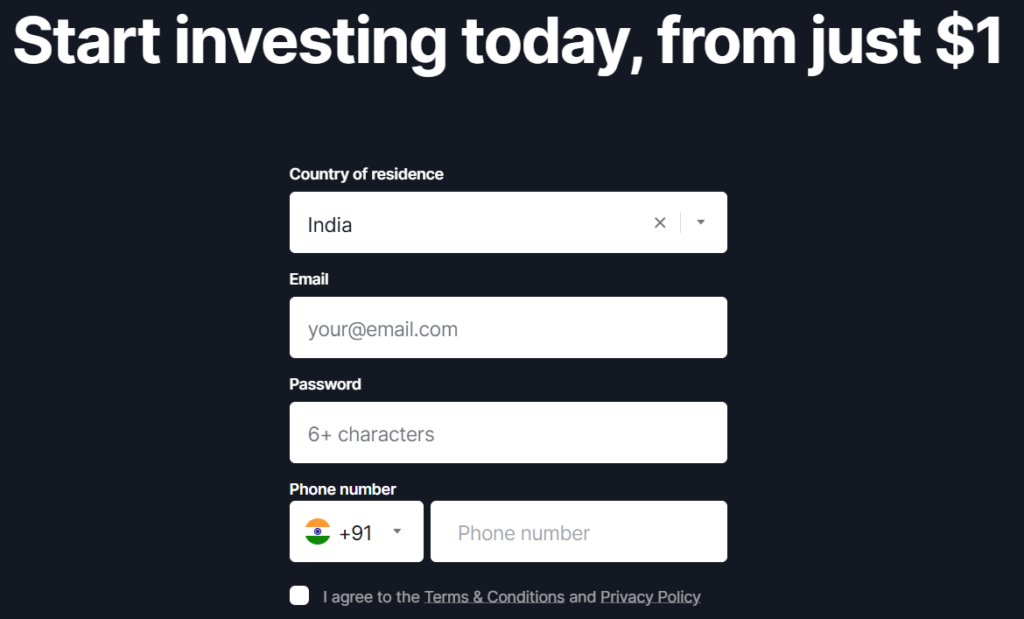
Note- Hamesha official link se download karo, fake apps aur phishing sites se bacho.
Step 2: Sign Up Process
- Name, email, phone number aur strong password dalna.
- Email ya phone verification code enter karo.
Step 3: Demo Account Use Karna
- Exnova automatically $10,000 virtual funds deta hai.
- Isse practice trading karo, charts aur order types explore karo.
Step 4: Real Account Conversion & KYC
- Jab confident ho jao, real account me switch karo.
- KYC ke liye ID proof, address proof aur selfie ready rakho.
- Verification ke baad hi deposit aur withdrawal possible hai.
Exnova Deposit & Withdrawal Process
Dosto yeh part sabse important hai. Deposit aur withdrawal smooth hona chahiye, warna experience frustrating ho sakta hai.
Minimum Deposit
- Platform minimum deposit ~$10 claim karta hai.
- Ek trade ka minimum $1 hai.
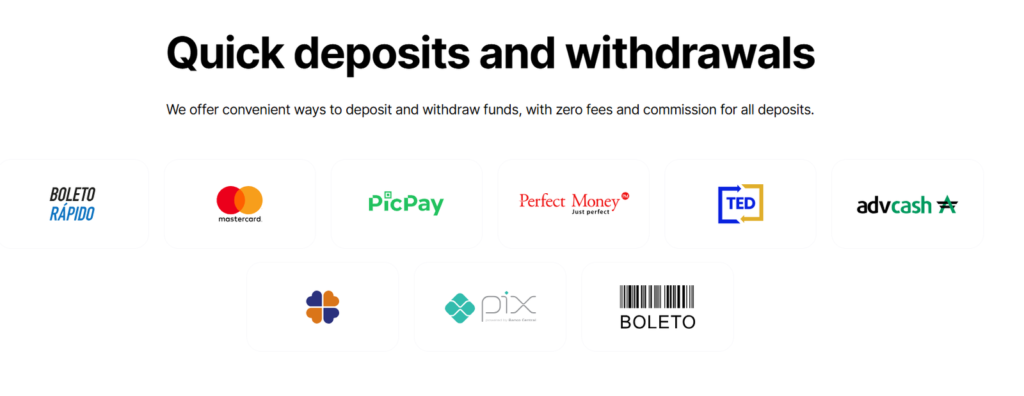
Payment Methods
- Credit/Debit cards
- Bank transfer / UPI
- E-wallets
- Kabhi-kabhi crypto deposit bhi allow hota hai
Withdrawal Process
- Withdrawal request ke liye verified account aur payment method zaruri hai.
- Processing time generally 1-5 working days hota hai.
- Pehle chhota amount withdraw kar ke test karo.
Common Withdrawal Issues
- Kabhi delay hota hai, kuch users ne cancellation report ki.
- Screenshots aur email confirmations sambhal ke rakho.
Note- Agar withdrawal me delay ho to panic mat karo, support ticket bhejo aur follow-up karo.
Exnova Trading – Paise Kaise Kamaye?
Chalo dosti wali style me simple words me samjhte hain.
Step 1: Asset Choose Karna
- Stocks, ETFs, commodities, forex, crypto me se choose karo.
- Diversify karo – saare paise ek asset me mat daalo.
Step 2: Amount Set Karna
- Demo me practice ke baad, real trade ka chhota amount choose karo.
- Stop loss aur take profit set karo, risk control ke liye.
Step 3: Order Type Select Karna
Leverage: agar available hai, samajh ke use karo — profit bada ho sakta hai, lekin loss bhi tezi se badhta hai.
Market Order: turant execute.
Limit Order: specified price pe execute.
Step 4: Execute & Monitor
- Trade place karne ke baad charts aur news check karo.
- Kabhi-kabhi manual close karna better hota hai agar market sudden move kare.
Risk Management Tools
Exnova me milta hai:
- Stop Loss & Take Profit orders
- Trailing Stop
- Negative Balance Protection
Friendly advice: Sirf risk capital use karo — wo paisa jo tum lose kar sakte ho.
Pros & Cons – Dosti Wali Salah
Pros
- Demo account aur low minimum deposit beginners ke liye perfect.
- Multiple assets aur user-friendly interface.
- Educational material aur tournaments.
- Risk management tools available.
Cons
- Regulation unclear / unregulated — major risk.
- Withdrawal issues reported by some users.
- Transparency & company info inconsistent.
- High risk inherent in trading.
Exnova Safe Hai Ya Scam?
Seedhi baat: abhi tak pakka evidence of scam nahi mila, lekin regulation aur withdrawal issues ki wajah se high risk category me consider karna chahiye.
Friendly verdict:
- Demo pe practice → chhota deposit → chhota withdrawal test → fir decide karo.
- Agar tum beginner ho aur risk lene ke liye ready ho, try kar sakte ho.
- Agar safe side prefer karte ho, regulated broker choose karo.
Note- Ye Sari Jankari aapko Humne Sabhi Jankari Nikal ke Aapko Btai Hai, Esliye Tips By Sagar Me Diye Gaye Comment Box Me jarur btaye ki jankari aapko kesi lagi.
-
Hello world!
Welcome to WordPress. This is your first post. Edit or delete it, then start writing!