


Soch ke dekho bhai, aaj ke digital zamaane me sab kuch online ho gaya hai, chahe recharge karna ho, bill bharna ho ya paisa bhejna ho. Aur isi digital wave me ek naam kaafi popular ho gaya hai — Airtel Payment Bank.
Bahut log Google Par Search karte hain “Airtel Payment Bank kya hai”, “Airtel Zero Balance Saving Account kaise kholein”, “Airtel Payment Bank me paisa kaise bhejein”, ya “Online Airtel Payment Bank safe hai ya nahi”. Toh aaj hum Aapko batayenge poore detail me, step by step ☕
Airtel Payment Bank Kya Hai
Airtel Payment Bank ek digital payments bank hai jise Bharti Airtel ne launch kiya. Ye ek Payments Bank hai, matlab:
- Paisa Deposit Kar Skte Ho
- Paisa kisi ko bhi Transfer kar skte ho
- Recharge aur bill payments
- Interest bhi dena hai aapke account me pade huye balance ka
Par haan, ye loan ya credit card jaisi cheezein abhi offer nahi karta.
Airtel Payment Bank ka main goal hai har mobile user tak banking services pahunchana — especially un logon tak jinke paas normal bank account nahi hai.
Airtel Payment Bank Account Kaise Khole
Sabse zyada log search karte hain:
- “Airtel Payment Bank account kaise open kare?”
- “Online open Airtel Payment Bank account”
- “Online open zero balance account”
to hum aapko btayenge ki ye process kitna easy aur full digital hai 👇
Step-by-step:
- Airtel Thanks App/Web download karo.
- Login karo apne Airtel number se.
- “Bank” section me jao.
- “Open Savings Account” ya online open zero balance account select karo.
- Apna Aadhaar aur PAN verify karo (KYC).
- mPIN set karo — ye tumhara transaction password hai.
- Bas! Tumhara zero balance savings account ready hai.
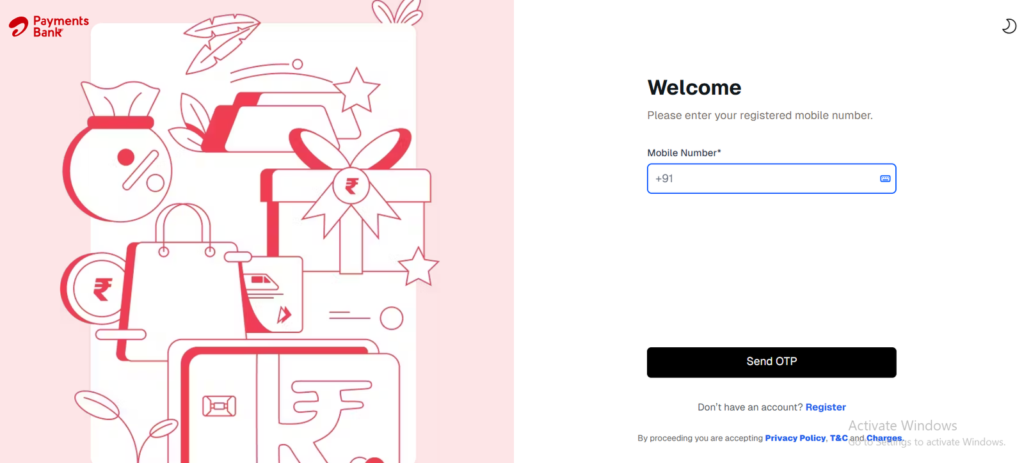
Ye account tumhare liye perfect hai agar aap digital banking ka maza lena chahte ho aur ghar baithe zero balance saving account kholna chahte ho.
Airtel Payment Bank Se Paise Kese Transfer Kare
- UPI Transfer: Kisi bhi bank account me instant paisa bhejo.
- NEFT/IMPS: Traditional bank transfer bhi supported hai.
- Airtel Wallet to Wallet: Agar dono ke paas Airtel account ho, paisa instantly transfer ho jata hai.
- Cash Deposit Point: Airtel banking points se paisa deposit ya transfer kar sakte ho.
App me “Send Money” → UPI ID/Account Number daalo → Confirm ✅
Airtel Payment Bank Se Paisa Kaise Nikale
Airtel Banking Point: Nearest outlet pe jaake registered number aur OTP verify karke cash withdraw karo.
Virtual Debit Card + ATM: Airtel Thanks App se virtual debit card generate karo aur ATM se paisa nikal lo.
Airtel Payment Bank Se Recharge Kaise Karein
- Airtel Thanks App open karo.
- Recharge option select karo (mobile, DTH, data pack).
- Payment source me Airtel Payment Bank choose karo.
- Confirm karo → ho gaya recharge ✅
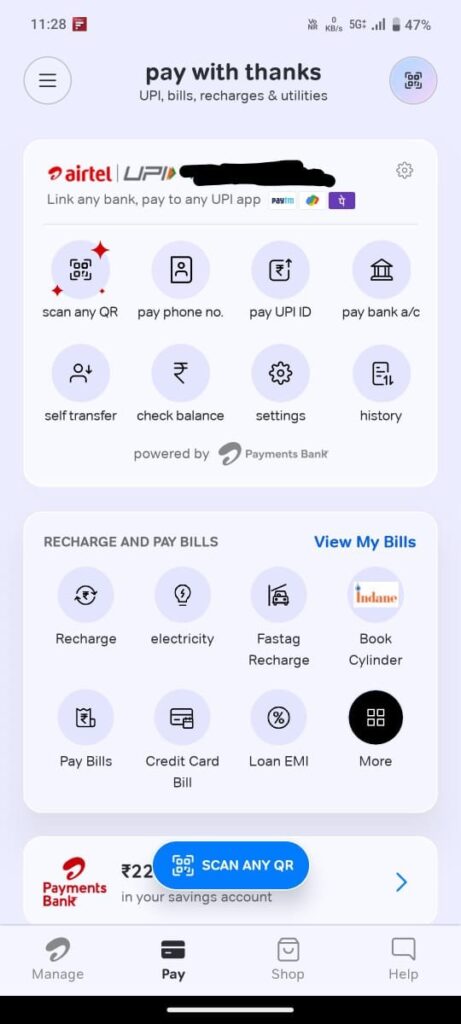
Offers & cashback bhi check kar lena “Offers” section me.
Airtel Payment Bank Ka Interest Rate Kitna Hai
Filhal, Airtel Payment Bank savings account par Upto 6.5% tak interest rate offer karta hai (plan ke hisaab se).
Zero balance account hone ke bawajood, tumhara paisa grow karta hai aur safe bhi hai.
Airtel Payment Bank Safe Hai Ya Nahi
- RBI-regulated bank hai → paisa secure hai.
- Har transaction me OTP, mPIN aur notification milta hai.
- Safe Pay feature → fraud protection.
Toh haan, Airtel Payment Bank safe hai.
Airtel Payment Bank Ke Features Aur Benefits
Zero Balance Savings Account – koi minimum balance nahi chahiye.
High Interest Rate – up to 6.5% savings par.
Online open Airtel Payment Bank account – ghar baithe account khol sakte ho.
Easy Fund Transfer – UPI, IMPS, NEFT.
Safe Pay & Fraud Protection.
Widespread Network – 500,000+ banking points.
Recharge & Bill Payment – direct app se.
FD & Insurance Option – digital process.
Airtel Payment Bank Ke Drawbacks
Loans aur credit card nahi milte.
Transaction limits ₹2 lakh per month.
Kabhi-kabhi app/network down ho sakta hai.
Minor hidden charges (SMS alerts etc.).
Customer care response kabhi delay ho sakta hai.
Airtel Payment Bank Customer Care
📞 Airtel Users: 400
📞 Non-Airtel Users: 8800688006
📧 Email: wecare@airtelbank.com
🌐 Website: www.airtel.in/bank
FAQs (Click to View Answers)
Airtel Payment Bank ek digital payments bank hai jisme paisa rakhna, bhejna, recharge aur bill payment possible hai. Ye RBI-regulated bank hai aur ghar baithe online open zero balance account option deta hai.
Aap online open Airtel Payment Bank account kar sakte hain Airtel Thanks App se. Ghar baithe zero balance savings account open karna kaafi easy hai, bas Aadhaar aur PAN verify karke mPIN set karna hota hai.
Aap UPI, NEFT, IMPS ya Airtel Wallet to Wallet ke through paisa bhej sakte hain. Ye sab methods zero balance account ke liye fully supported hain aur instant transfer hote hain.
Aap Airtel banking point pe jaake cash withdraw kar sakte hain ya virtual debit card generate karke ATM se paisa nikal sakte hain. Ye zero balance savings account users ke liye easy aur safe method hai.
Haan bhai, Airtel Payment Bank RBI-approved hai aur Safe Pay feature ke saath secure hai. Har transaction me OTP aur mPIN ka use hota hai, jo paisa aur data dono ko protect karta hai.
Zero balance account me minimum balance nahi hota, high interest milta hai, easy fund transfer possible hai aur ghar baithe online open zero balance account kar sakte hain. Ye small savings aur daily transactions ke liye perfect hai.
Airtel Payment Bank ek perfect digital banking solution hai:
- Zero balance savings account
- Online open option ghar baithe
- High interest, safe pay, easy fund transfer
- Recharge & bill payment sab app se
Agar abhi tak account nahi khola → Airtel Thanks App download karo aur zero balance account khol ke digital banking ka maza lo! 💸
Leave a Reply